
A hotel is full of people who have never been inside it before. They arrive at odd hours, they are hunting for a meeting room on the third floor, they want to know whether the spa is open and when breakfast stops, and most would rather work it out than queue at reception. Screens answer those questions where people are already standing.
This page covers what belongs on hotel screens, the wayfinding pattern that works, what six and forty screens cost over five years, and what easyCMS will not do.
The advantages
- Answer the questions guests would otherwise ask at reception
- Change the events board once and it reaches every floor
- Weather and world clocks for guests who arrived from another time zone
- One screen per floor replaces a wall of printed direction signs
- Staff notices on back of house screens, not on a noticeboard nobody reads
- One-time licences, so a screen added in year three adds nothing to a monthly bill
What actually goes on the screens
Hotels buy screens for the lobby, then discover the useful ones are on the fourth floor and in the staff canteen. Give each screen one job.
Lobby and reception
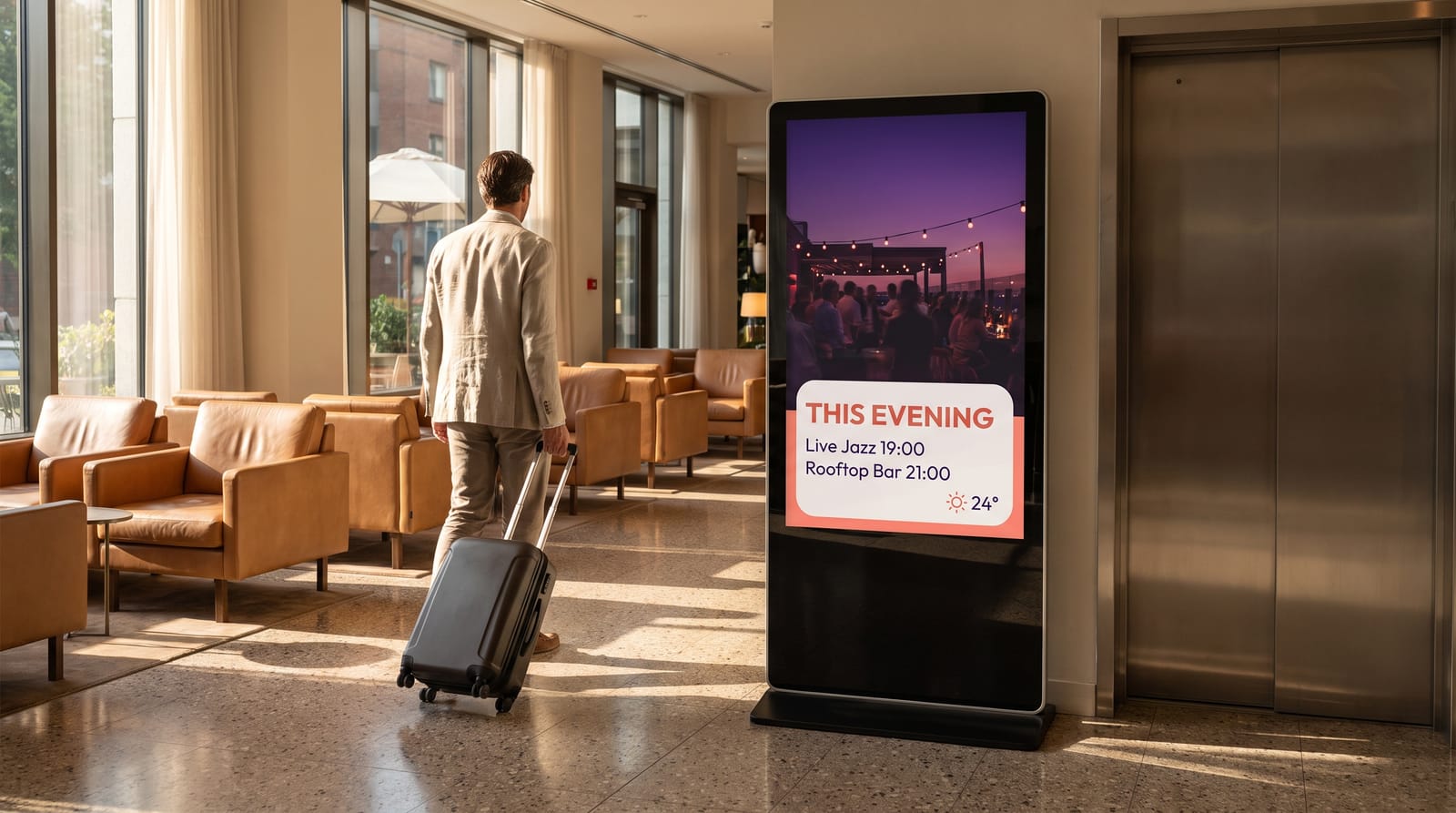
The reception screen carries what a guest asks in the first thirty seconds: check-in and check-out times, breakfast service, where the bar and lifts are, today’s events and the weather. A portrait screen beside the desk beats a large landscape one across the room, because people read it while they wait. Add the world clock widget for guests who arrived from another time zone. If reception changes money, the same screen can show today’s rates: see exchange rates at hotel reception.
The daily events board
Conferences, weddings, board meetings, the party in the ballroom. One board listing room, event, host and times stops the front desk repeating the same answer forty times before ten in the morning. It is also the content most likely to be wrong if somebody retypes it daily, which is why the feed matters more than the design.
Lift lobbies: one screen per floor
The pattern worth copying. One portrait screen per floor, facing the lift doors, showing only what is on that floor: room number ranges left and right, the meeting rooms on that level, the fire exit. Nothing else. People stand still in a lift lobby for ten to twenty seconds, which is the right amount of reading time. Group the displays and a hotel-wide message still reaches all of them.
Meeting rooms and conference wayfinding
A screen outside each meeting room showing the room name, the session now, the session next and the organiser replaces the printed sheet in a plastic frame, and a board in the foyer carries the full day’s programme. Both run from the same feed, filtered per room. Interactive buttons and zones jump to another layout, so a lobby touch screen can hold a directory with a page per floor. What a door screen cannot do is take a booking.
Bar, restaurant and breakfast
Food and drink screens follow restaurant rules. Daypart them so the breakfast board appears at 06:30 and gives way to lunch, afternoon and the evening drinks list on its own. Prices can sit in a DataSet, so a change is one cell. See digital menu boards and restaurants and bars.
Spa, pool and gym
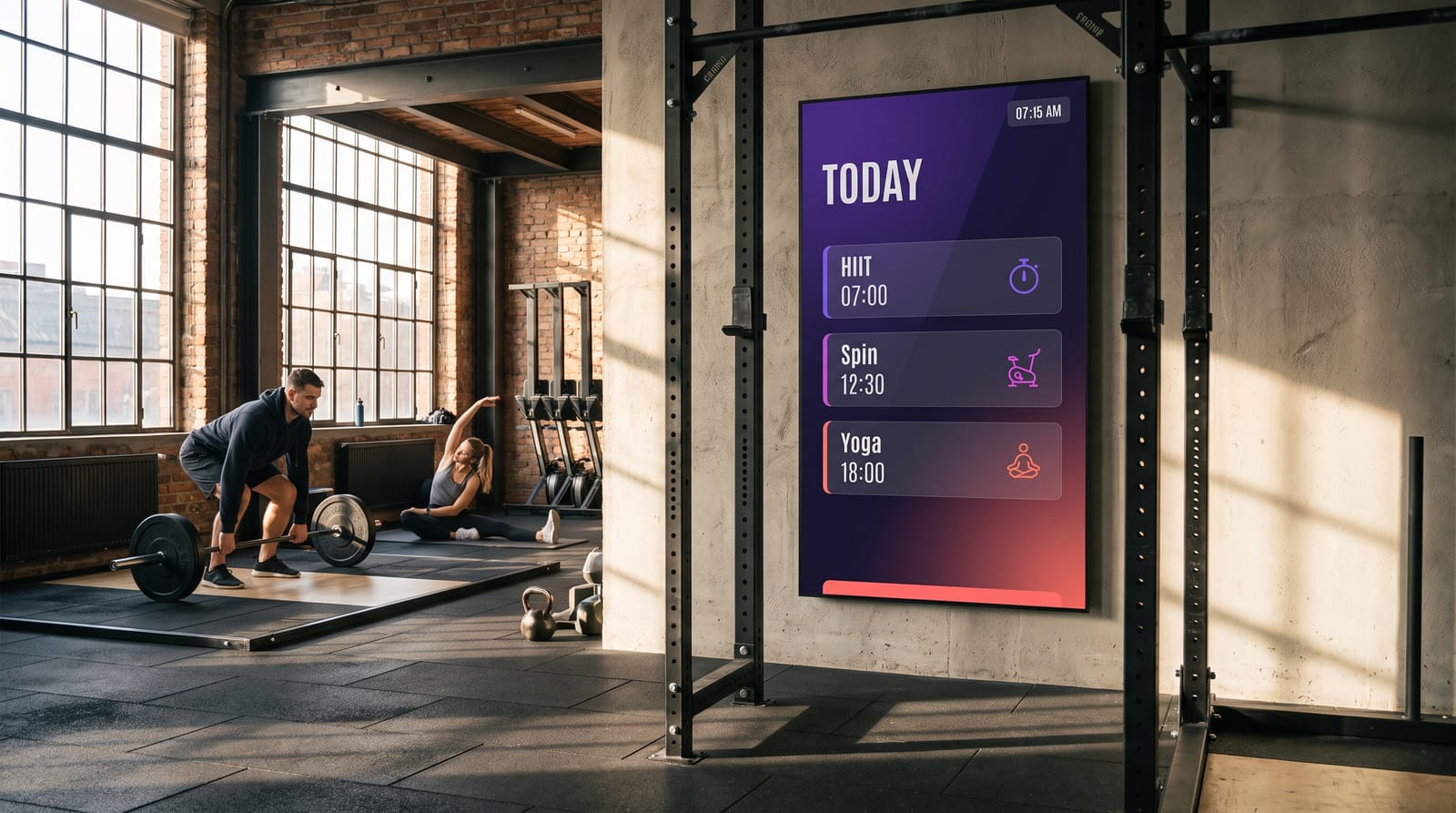
Opening hours, the class timetable, the treatment menu with prices, quiet hours, and the safety notices that have to be visible anyway. One 43” screen at the entrance to the wellness area covers it. If the gym is open to members too, gyms and fitness goes further.
Back of house
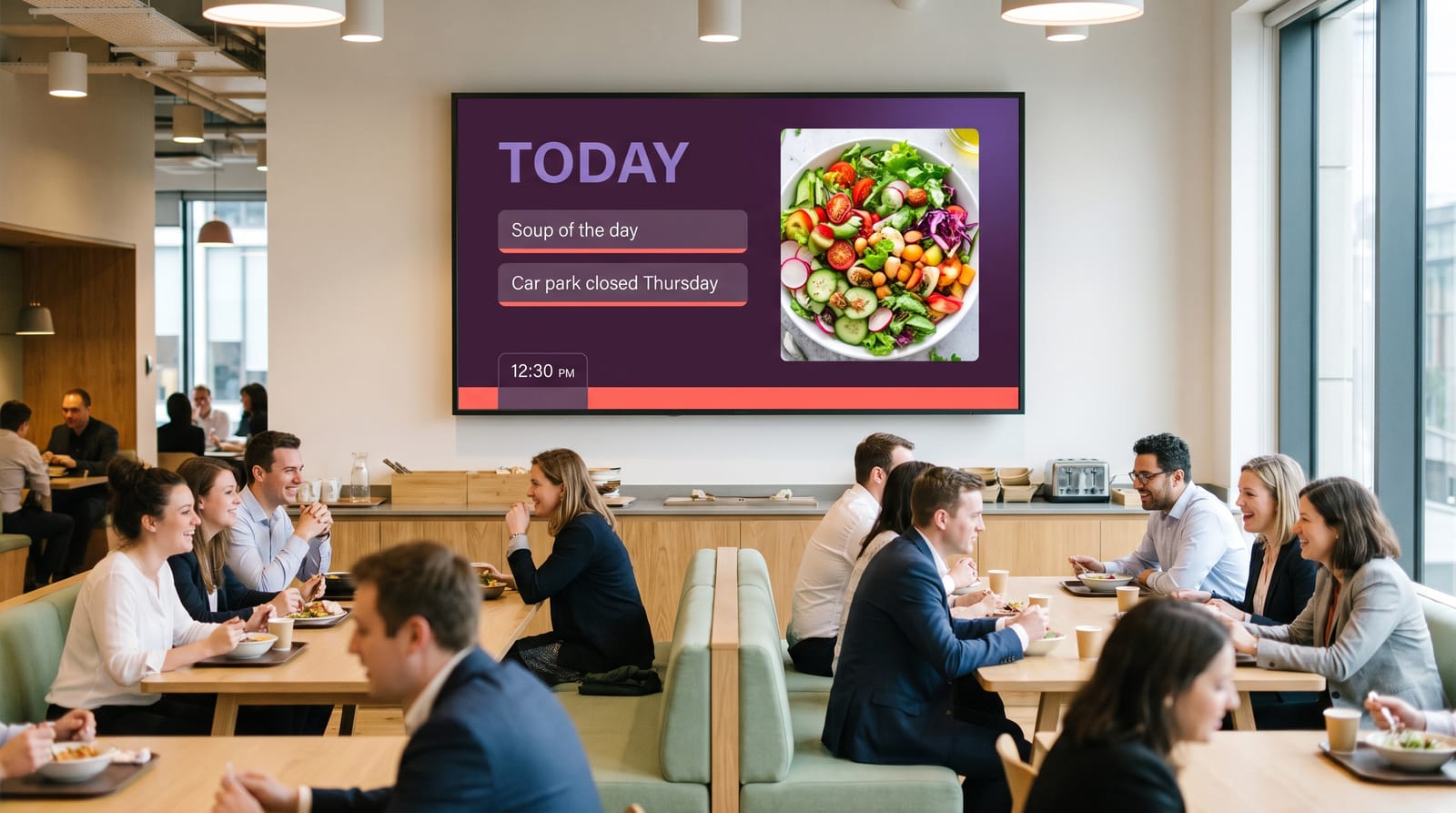
Staff screens usually pay back fastest: the canteen, the corridor by the time clock, the housekeeping office. Rotas, today’s occupancy and arrivals, group check-ins to expect, training dates, and whatever lives on a laminated sheet by the lockers.
InterContinental in Warsaw runs easyCMS on its staff canteen screens, managed by Joanna Pasek in Human Resources. That is a back of house deployment rather than a guest-facing one, and a fair illustration of where hotels often start.
Good to know Back of house is the easiest place to begin. Nobody is judging the typography in week one, so you learn the CMS where mistakes are cheap, then move to the lobby.
Where to put screens, and what size
| Location | Suggested size | Orientation | Job it does |
|---|---|---|---|
| Reception desk | 49”–55” | Portrait | Times, weather, today’s events |
| Lobby feature wall | 2–4 × 55” | Landscape | Brand film, city guide |
| Lift lobby, each floor | 43”–49” | Portrait | Floor directory, room ranges, exits |
| Outside each meeting room | 22”–32” | Landscape or portrait | Now, next, organiser |
| Conference foyer | 55”–65” | Landscape | Full day programme |
| Bar or restaurant entrance | 43”–55” | Portrait | Menu, service times |
| Breakfast room | 43”–55” | Landscape | Menu, allergens, service times |
| Spa, pool or gym | 43” | Landscape | Timetable, hours, safety |
| Staff canteen | 43”–49” | Landscape | Rotas, occupancy, notices |
In a lift lobby put the centre of the screen at about 1.6 m; door panels sit lower, around 1.4 m. Lobbies are full of glass, so brightness decides the specification: a commercial panel runs at 350 to 700 nits against 250 to 350 on a domestic television. See the LCD display guide. A lobby video wall is possible, but synchronised playback is Android only, so pick the player accordingly.
Keeping the events board current
Two honest ways, and choosing on day one saves grumbling later.
An iCal feed. The Calendar widget takes an iCal feed URL. If your events diary publishes an .ics URL the CMS can reach, point the widget at it and the board updates itself. Filter it per room and one feed drives every door screen.
A DataSet. A table you keep in the CMS, filled in by hand or imported from a CSV. Columns for room, event, start, end and host are enough, and the duty manager edits one row. Better when the diary lives in a spreadsheet, which in a lot of hotels it does. See DataSets.
Watch out There is no Google Calendar connector and no integration with booking or property management systems. The Calendar widget wants an iCal feed URL. If your system cannot publish one, use a DataSet.
What it costs
A six-screen independent hotel
Reception, three lift lobbies, the breakfast room and the staff canteen. Six displays is more than the standard account manages, so PRO is the right tier.
| Line | Cost |
|---|---|
| easyCMS PRO account, up to 25 displays, 5GB storage, proof of play, includes 1 licence | 299 EUR one-time |
| 5 × extra licence at 66 EUR, bought in the same order | 330 EUR one-time |
| Software total, paid once | 629 EUR |
Licences bought in the same order as the account are 66€ each rather than 99€. It is a Stripe coupon applied automatically at checkout, so there is no code to enter. Added later they are 99€ each, so the same six screens are 794€ at list.
There is no year two. Most platforms sell per screen per month. Rates vary widely by vendor and tier; 20€ is used below purely as an illustration, and the vendors’ own list prices, several of them well below that, are in the table further down.
| easyCMS | Subscription at 20 EUR/screen/month | |
|---|---|---|
| Year 1 | 629 EUR | 1,440 EUR |
| Year 2 | 0 EUR | 1,440 EUR |
| Year 3 | 0 EUR | 1,440 EUR |
| Year 4 | 0 EUR | 1,440 EUR |
| Year 5 | 0 EUR | 1,440 EUR |
| Five-year total | 629 EUR | 7,200 EUR |
At that illustrative rate the six screens have paid for themselves in about five months, and the gap after five years is 6,571€.
Five screens rather than six changes the tier: the easyCMS account at 49€ covers up to five displays and includes one licence, so five screens bought in one order is 313€ paid once. Add the four extra licences later and the same five screens are 445€ at list.
A forty-screen group
Four properties, ten screens each. Two sensible ways to buy it, and they are not close.
| Option | What you pay | Five-year total |
|---|---|---|
| Four PRO accounts, one per hotel: 4 × (299 + 9 × 66 EUR) | 3,572 EUR once | 3,572 EUR |
| Enterprise at 1,290 EUR a year, plus 40 licences at 49 EUR | 3,250 EUR year one, then 1,290 EUR a year | 8,410 EUR |
| Subscription at 20 EUR per screen per month | 9,600 EUR a year | 48,000 EUR |
The PRO row assumes all forty licences go through checkout with the accounts at 66 EUR each. Buy the screens a few at a time afterwards and they are 99€ each, so the same estate is 4,760€ at list.
On Enterprise, licences drop from 99€ to 49€ each.
Four PRO accounts is cheaper than the Enterprise route and we will not pretend otherwise. Enterprise buys white label on your own domain, roles and permissions, 20GB of storage, priority support, players at 299€ instead of 499€, and one place to manage the estate. If every property runs itself, buy the four PRO accounts.
Break-even against the cheap subscriptions
The line goes flat once the purchase is made, and the payback dates are short. Against the cheapest credible rivals at around 8€ per screen per month, a first easyCMS screen pays for itself in roughly six months, each additional screen bought in the same order in about eight months, and a 25-screen PRO build at 1,883€ in nine to ten months. Buy the screens later at 99€ each and those become twelve to thirteen months and thirteen to fourteen months for a 2,675€ build. The six-screen hotel above clears in about thirteen months at that rate. After that the subscription keeps billing every year and easyCMS does not.
easyCMS still costs more in year one than the cheapest subscriptions, and before those break-even points a subscription is cheaper. Vendors’ own list prices, checked September 2026:
| Platform | List price, checked September 2026 |
|---|---|
| Yodeck | Free for 1 screen; Basic $8 / EUR 8, Premium $12 per screen per month |
| OptiSigns | Free up to 3 screens, OptiSigns logo shown, community support only; Standard $10, Pro $12.50 per screen per month |
| ScreenCloud | Core $20, Pro $30 per screen per month billed annually |
| Xibo Cloud hosting | From 4,40€ per display per month, Professional plan |
Yodeck and OptiSigns also have real free tiers, so for one screen behind the desk and nothing more, take the free one. easyCMS has no free plan and no trial. Full workings in cost per screen and no monthly fee.
An easyCMS Android player is 499€, or 299€ on Enterprise, pre-configured and ready to hang behind a screen. It includes one display licence, so the player and that screen are a single line rather than two. Windows player software is free, and LG webOS and Samsung Tizen screens run the player inside the panel. Full prices on the pricing page.
Groups and multiple properties
For a group the real question is who may change what. Enterprise adds users, user groups, roles and permissions, so the brand team publishes anywhere, a general manager is scoped to their own hotel, and the spa manager touches only the wellness screens. It also puts the CMS on your own domain and branding, which matters when you hand logins to franchisees. See white label digital signage and users and permissions. Display monitoring is the other daily tool: when each screen last checked in, plus an on-demand screenshot of what it is playing, so head office can check a lobby screen in another city without ringing the duty manager.
Running it day to day
Who updates it. The duty manager owns the events board, marketing owns lobby content, food and beverage owns the menus, HR owns back of house. Daily updates take minutes; design happens once a season.
Scheduling. Follow the rhythm of the building rather than one loop all day: breakfast content from 06:30, a conference programme only on conference days, a quieter evening loop, screens that switch off overnight. See scheduling content and dayparting.
Network. Players pull content and accept no inbound connections, so no port needs opening, traffic to the CMS is encrypted, and every display must be authorised before it receives anything. Read network requirements with whoever runs the hotel network before installation day, not after.
Watch out Do not put players on the guest Wi-Fi. A captive portal that asks for a room number will cut a player off the moment its session expires. Use the staff network, wired where you can.
When the network drops. Content is cached on the player, so a scheduled loop keeps playing and picks up changes when the connection returns. More in digital signage without internet.
Getting started. Connect your first display, build from a template in creating layouts, then use add a display for the next one.
What easyCMS will not do for a hotel
- No PMS integration. It does not read arrivals, room numbers, guest names or occupancy from your property management system. A welcome message naming a conference client is typed in, or driven from a DataSet you keep.
- No in-room TV system. This drives public area and back of house screens. It is not an in-room television platform and does nothing for room service ordering or guest billing.
- No guest-facing casting. Nobody can cast from a phone or laptop to a meeting room screen through easyCMS. If a conference client needs that, keep an HDMI input and a switcher on the room screen.
- You are not an administrator of the CMS. easyCMS hosts and runs it in the European Union, at Hetzner in Falkenstein, Germany. You get your account, media and displays, not the server settings. If your IT department insists on owning the server, say so before you buy.
- No SOC 2 or ISO 27001 certification. We hold neither. What is true: EU hosting, encrypted player traffic, every display authorised before it receives content, no inbound port to open. For a Data Processing Agreement, email info@myeasycms.com.
easyCMS is hosted and supported by us in the European Union, which is why there is no monthly fee on the one-time plans. See digital signage with no monthly fee and pricing.
Questions hotels ask
Can the events board update itself from our diary?
Yes, if your diary publishes an iCal feed URL. Point the Calendar widget at it and filter per room. If it cannot, keep a DataSet in the CMS and edit rows instead.
Do we need a screen on every floor?
No, but lift lobbies are the highest-value screens after reception, because that is where guests are lost and standing still. On a tight budget, start with reception, the busiest guest floor and the staff canteen.
Is there a monthly fee?
No, unless you choose Enterprise at 1,290€ a year. The account, the PRO account and every extra licence are one-time and lifetime.
What support is included?
25 written guides and an AI assistant at support, free to everyone, plus an Expert Support Hour at 25€ when you want an engineer on it. An expert support hour is 25€, comes with a written diagnosis and a fixed quote you approve first, and is refunded if the cause turns out to be a bug in easyCMS.
Where to start
Send us a rough list: how many screens, roughly where, one hotel or several, and whether you need hardware. We will come back with a firm figure and an honest view on whether PRO or Enterprise suits the properties you have. Email info@myeasycms.com, call +48 509 937 137, or use the support request form. You can also browse the full feature list or the guide for offices and internal communication.