Gold Price Screens for Jewellers and Gold Buyers
People selling old gold want to know what you pay before they come in. A screen in the window with today's price per gram, by carat, brings them through the door, and saves the counter from working it out on a calculator for every customer.
A gold buyer’s window says “We buy gold” in large letters and rarely says at what price. The customer has to come in, hand over the chain and wait for a number. A screen with today’s buying price per gram for each carat answers the first question from the pavement, and a customer who has already seen your price is easier to deal with than one who suspects it.
easyCMS shows gold and silver prices on the same boards exchange offices use for currencies. It works out the price per gram from the daily reference price of gold and silver, with your own buying and selling margin, and updates every morning. Or you type your prices and they stay exactly as typed.
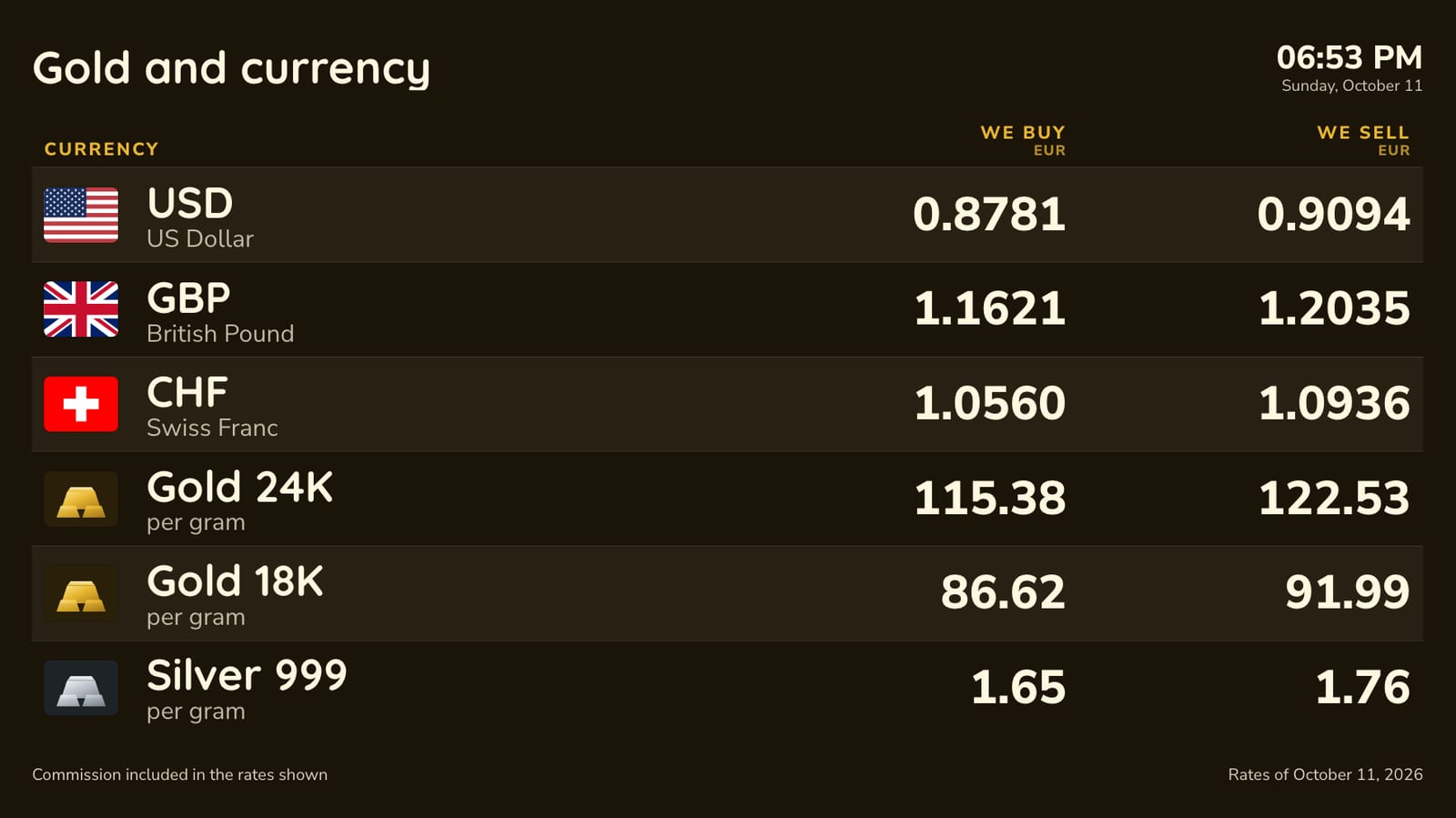
What the board shows
- Gold 24, 22, 18 and 14 carat, and silver 999, each priced per gram in your currency, or per 10 or 100 grams if you prefer.
- We buy and We sell side by side, with your own margin on each. Most gold buyers use a much wider buying margin than on currencies; you set it per carat.
- Currencies too, if you change money as well: the same board can carry the dollar and the pound under the gold.
- Your logo, the date, the time and the date of the prices.
- A footer line for your registration number or terms, and a line for a commission or fee if you charge one, printed as large as the prices.
There are five arrangements: a portrait board for the window, a counter board, a reception board with a few large prices, a spotlight that shows one price at a time filling the screen, and a scrolling ticker for an LED strip above the door. The gold price display board template is a good start.
How the price per gram is worked out
The reference is the price of one troy ounce of gold or silver, published every working day by central banks, among them the National Bank of Romania and the National Bank of Poland. easyCMS converts it to your currency, divides it into grams (31.1035 grams to the ounce), and adjusts it for purity: 24 carat at 999 parts in 1,000, 22 carat at 916, 18 carat at 750 and 14 carat at 585. Then it applies your buying and selling margin and rounds the buying price down and the selling price up.
The automatic price is a daily reference, not the live market. Gold can move a percent or two in a day. If you follow the market through the day, lock your prices: you type them on the Rates page in Studio, on your phone, and the screen shows them within a few minutes. One button locks every price at today’s values, which suits a shop that sets its prices once in the morning.
In the window, on the website
A window board needs to be read from the pavement: large prices, strong contrast, and a high-brightness screen if it faces the sun. The portrait board is laid out for that.
Switch on “On your website” and the same prices appear on a page you can link to or put inside your own site, updated by themselves. If you run more than one shop, each can have its own price table with its own margins, and each screen shows the table you pick.
What it costs
A window screen and a counter screen:
| Line | Cost |
|---|---|
| easyCMS account, up to 5 displays, includes 1 licence | 49 EUR one-time |
| 1 × extra licence at 66 EUR, bought in the same order | 66 EUR one-time |
| Software total, paid once | 115 EUR |
The gold and silver prices, the automatic updates and the website table are included; there is no add-on and no monthly fee. The screens need players: an easyCMS Android player is 499€ and includes a licence, Windows player software is free, and LG webOS and Samsung Tizen screens run the player inside the panel. The pricing page has every option.
What it will not do
- Live gold prices. The automatic price is the daily reference. Lock your prices and type them to follow the market during the day.
- Platinum, palladium or other purities. The board carries gold at 24, 22, 18 and 14 carat and silver 999.
- Show buying prices only. Every board has a buy and a sell column; a shop that only buys will have a sell column it does not use.
- Weigh, test or record what you buy. The screen shows prices. Identity checks and records for gold you buy are yours to keep, as your local rules require.
Exchange offices that also sell gold should see the exchange rate board software page; every template is on the exchange rate board templates page.