
A currency exchange office lives on one table of numbers. Customers read it from the pavement before they decide to come in, they read it again at the counter, and the law in most countries says it has to be there, readable, with buy and sell side by side. Most offices still run that table on an LED number board, a laminated sheet or a TV with a spreadsheet on it, and somebody retypes it every morning.
easyCMS has a currency board built for exchange offices. This page covers what it shows, how the rates are worked out, the rules boards have to follow, what it costs, and what it will not do.
The advantages
- Buy and sell rates for up to 60 currencies, with flags, names and the unit (100 JPY, 100 HUF)
- Rates follow the official reference rates with your own margin, or stay locked at what you type
- Gold and silver per gram (24, 22, 18 and 14 carat, silver 999) on the same board
- A window board, a counter board, a reception board, a one-currency spotlight and a scrolling ticker
- Board labels in 14 languages, with a second language that takes turns for tourists
- The same rates on your own website, from the same table
- One-time licences, so a second branch does not add a monthly bill
What the board shows
Every board reads one rates table, so a change made once reaches the window, the counter and the website together. Each design below is a ready-made template; the exchange rate board templates page has them all.
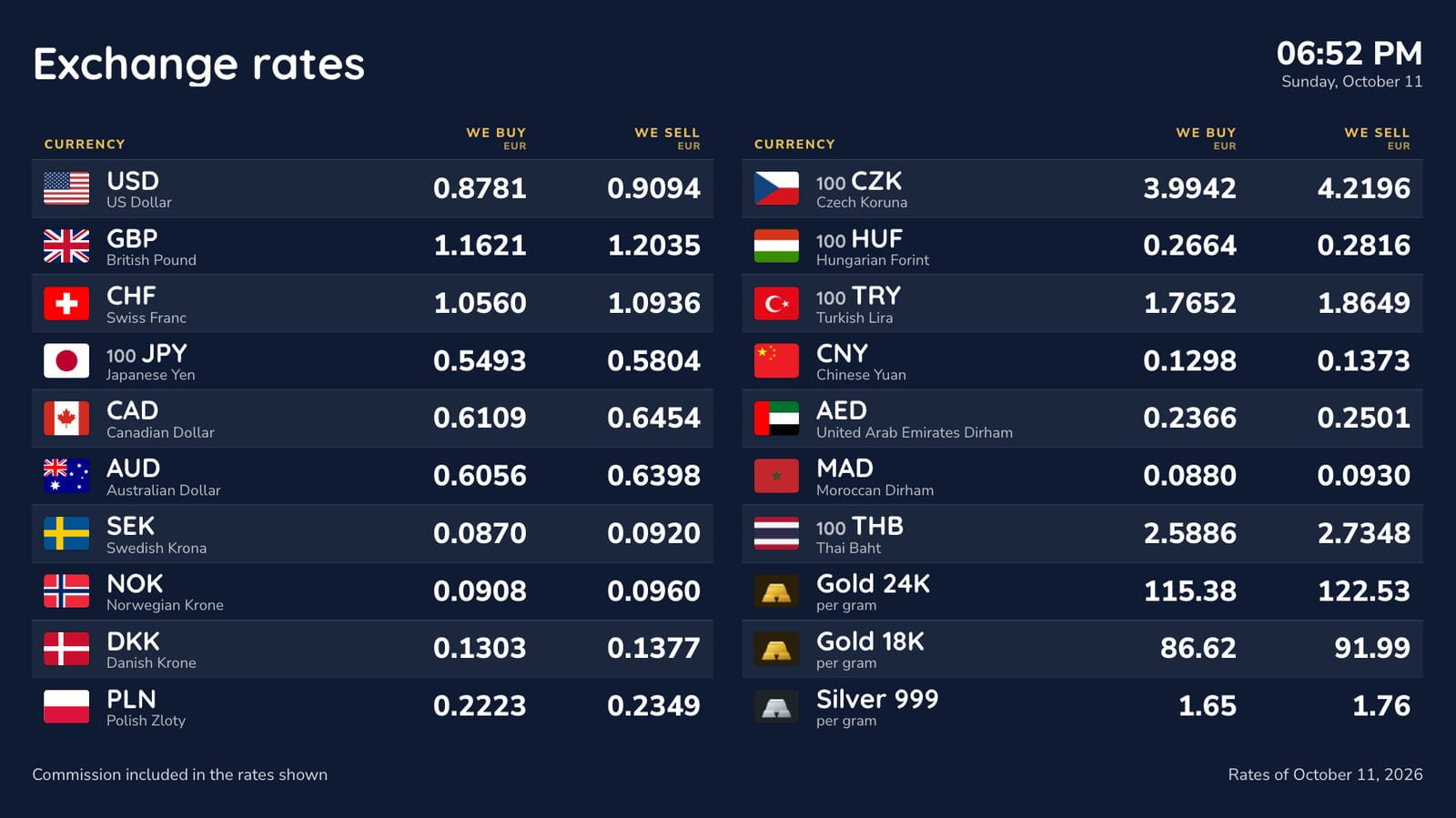
Each row has the flag, the ISO code, the currency’s name in the board’s language, and We buy and We sell, in that order, from the office’s point of view. Low-value currencies read per 100 or per 1,000 units, so the yen shows as 100 JPY rather than a row of zeros. The header carries your logo, the title, the time and the date. The footer carries your own line (commission, licence number) and the date of the rates.
When the list is longer than the screen, the board pages through it on its own, and a counter screen in landscape splits into two columns before it starts paging.
The window board
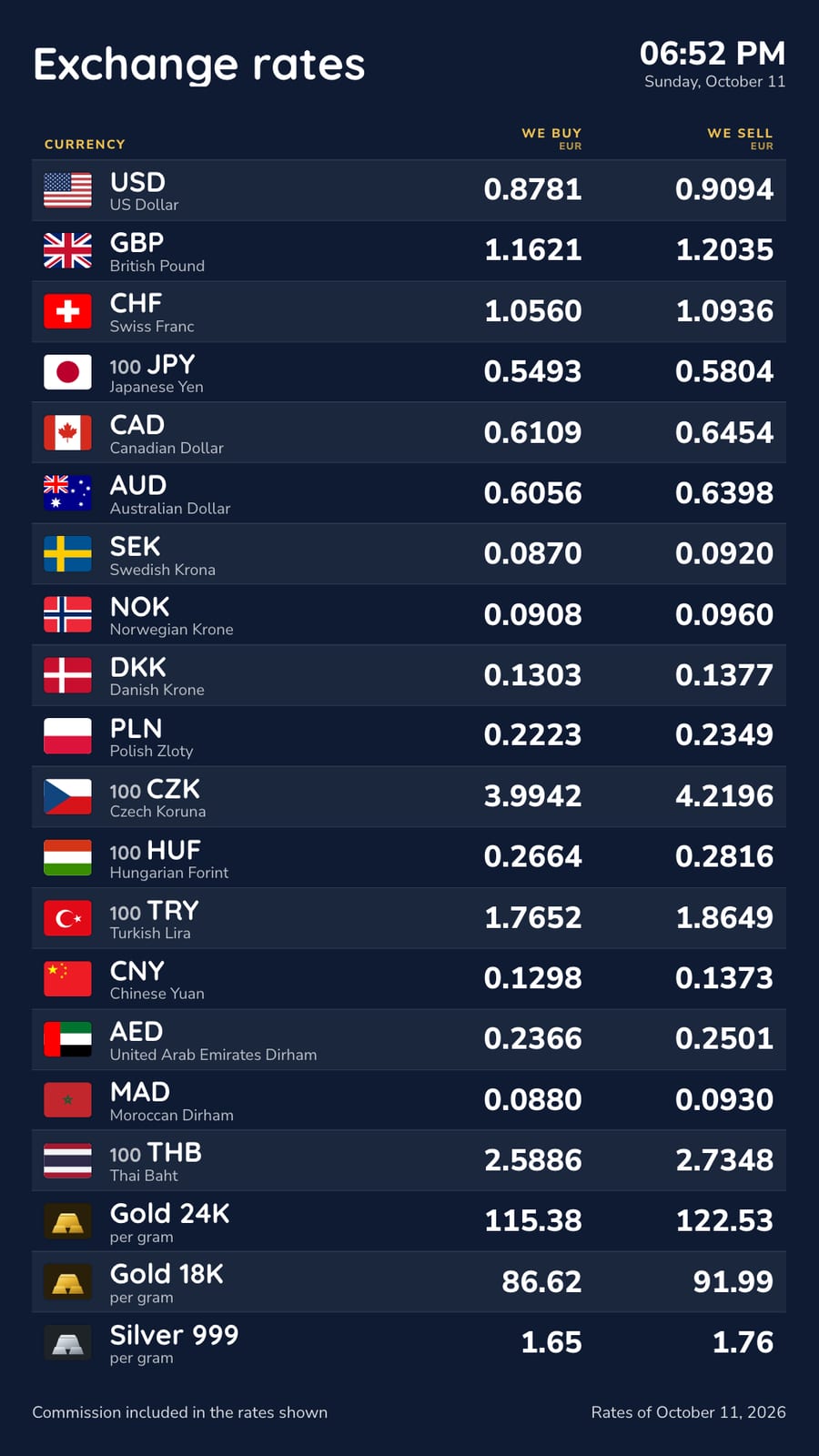
The board people read from the street. Portrait, big rows, the strongest contrast you can get, and nothing else on it. A window screen needs a high-brightness panel to stay readable in daylight; the board itself just needs to be legible at three metres.
The counter board
The full list inside the office: twenty, thirty or forty currencies in two columns on a landscape screen, plus gold and silver if you buy and sell them.
Reception rates
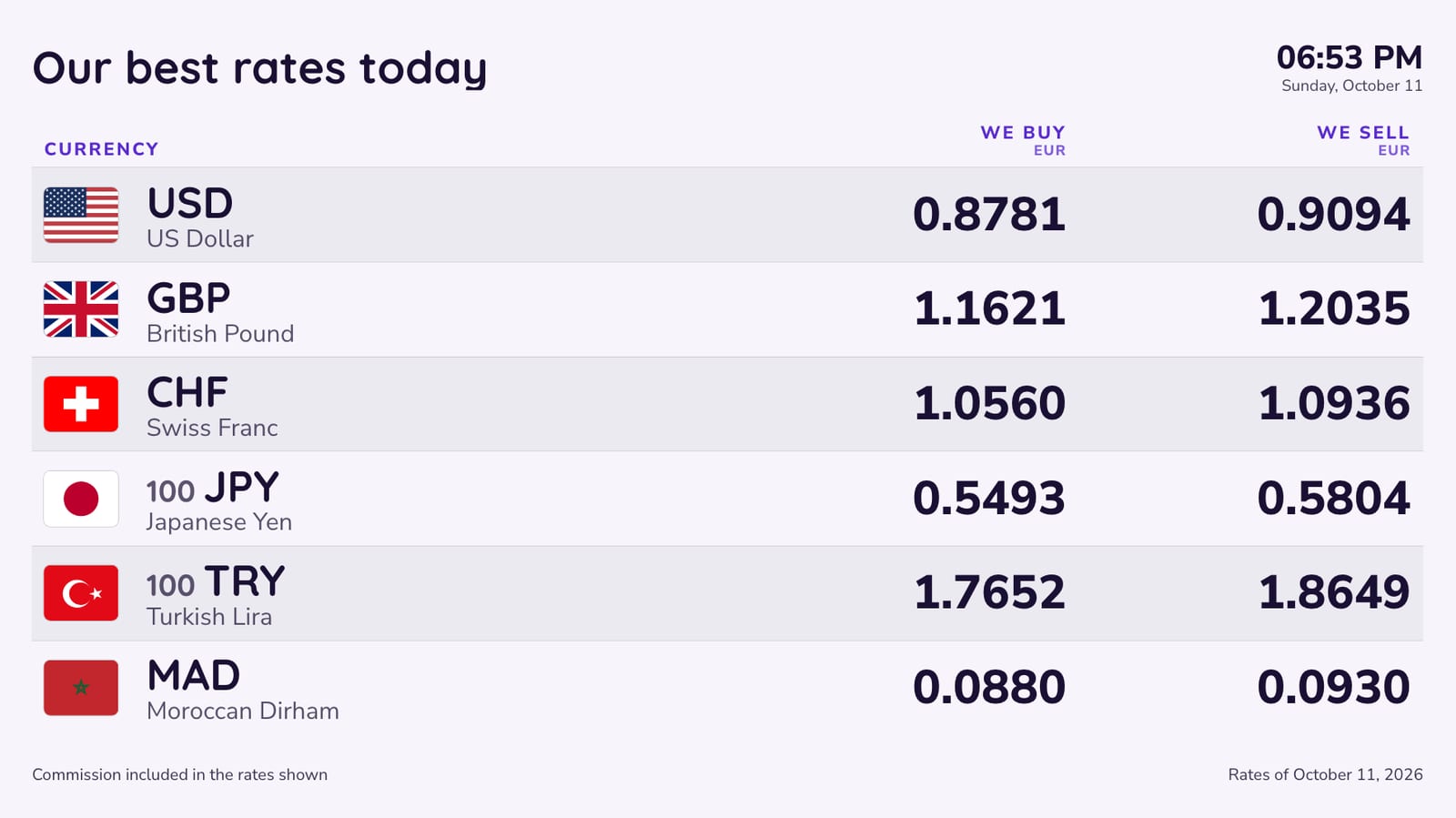
Six or eight currencies in large type, for hotel receptions, travel agencies and post offices that exchange money on the side. Each board can show only some of your currencies, so the reception screen and the window can differ while reading the same table.
Spotlight and ticker
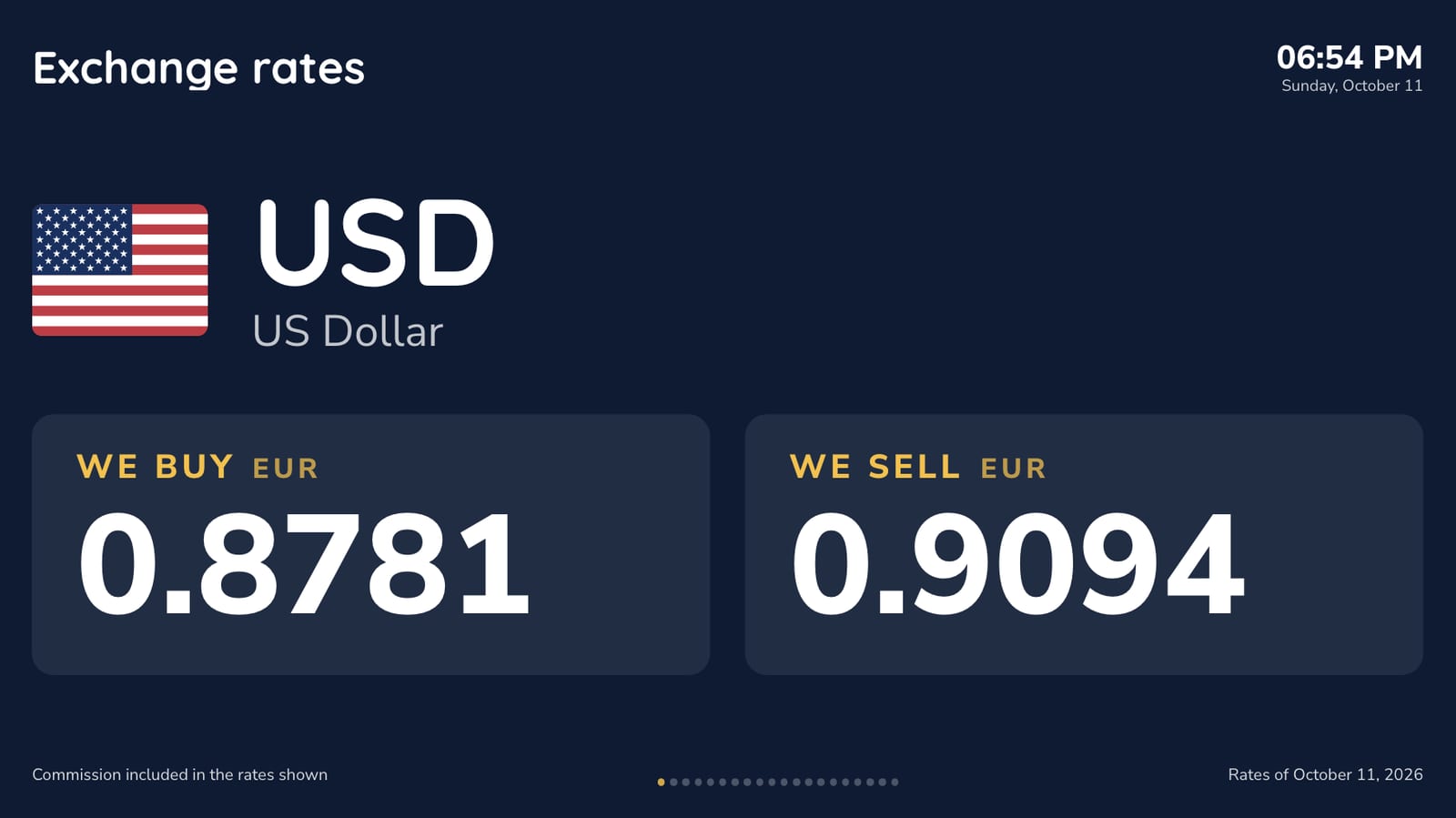
Spotlight shows one currency at a time, filling the screen, and moves on every few seconds: it catches the eye in a window or an airport corridor. The ticker is one scrolling line of rates, sized for an LED strip above the door or a thin band at the bottom of a screen.

Gold and silver
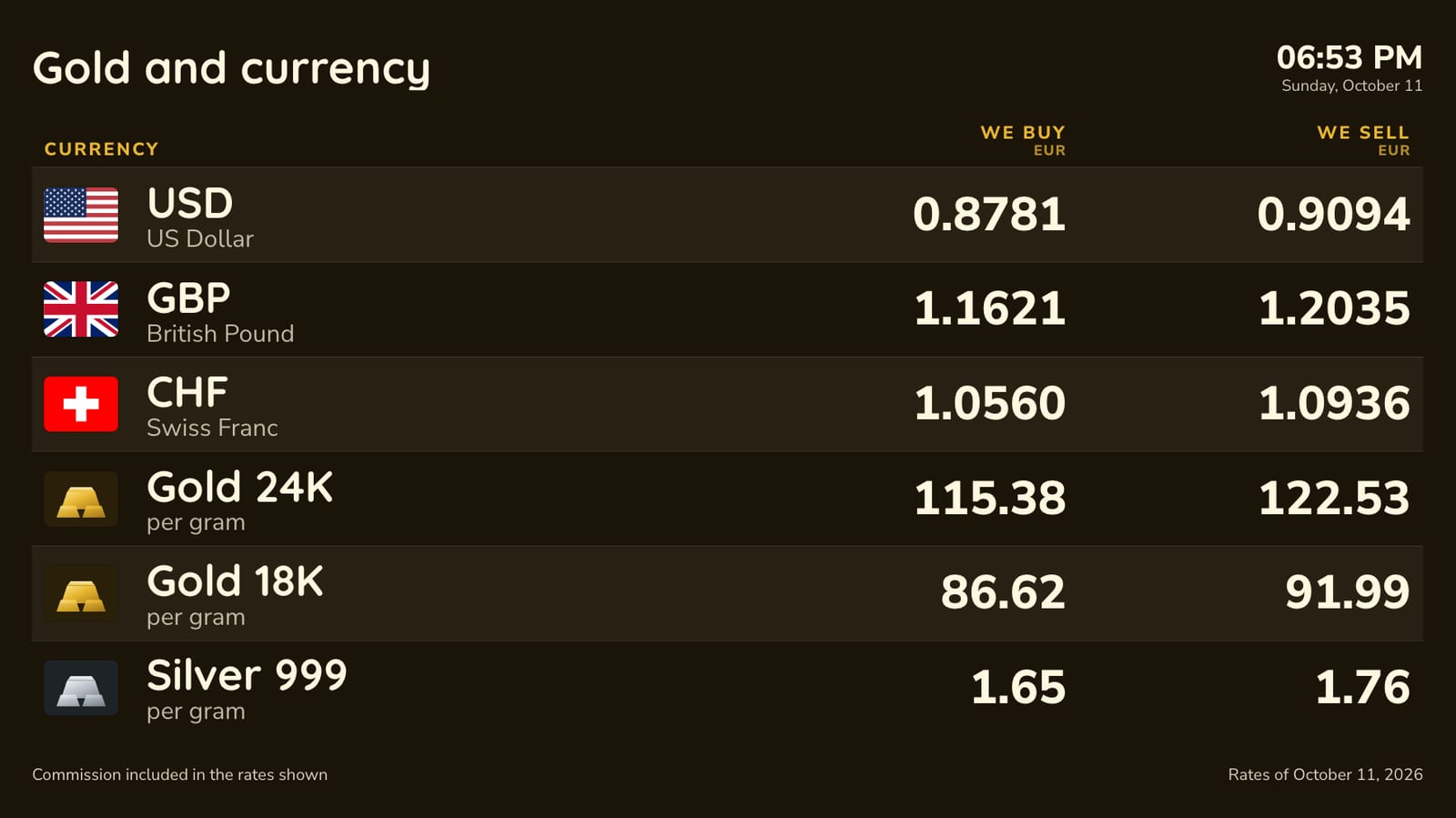
Jewellers and gold buyers that also change money can put gold (24, 22, 18 and 14 carat) and silver 999 on the same board, priced per gram in your currency with your own buy and sell margin.
In the language of your customers
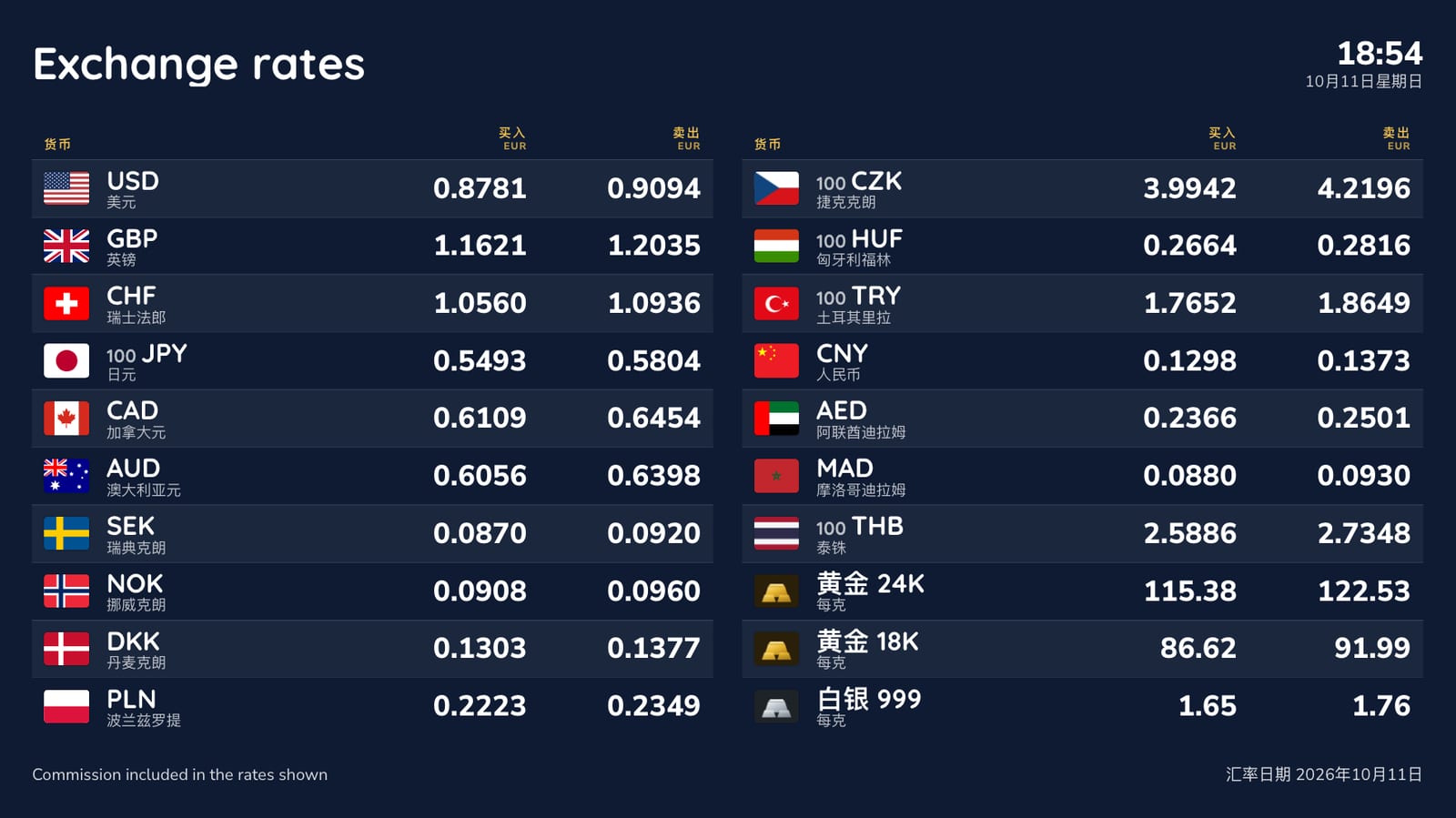
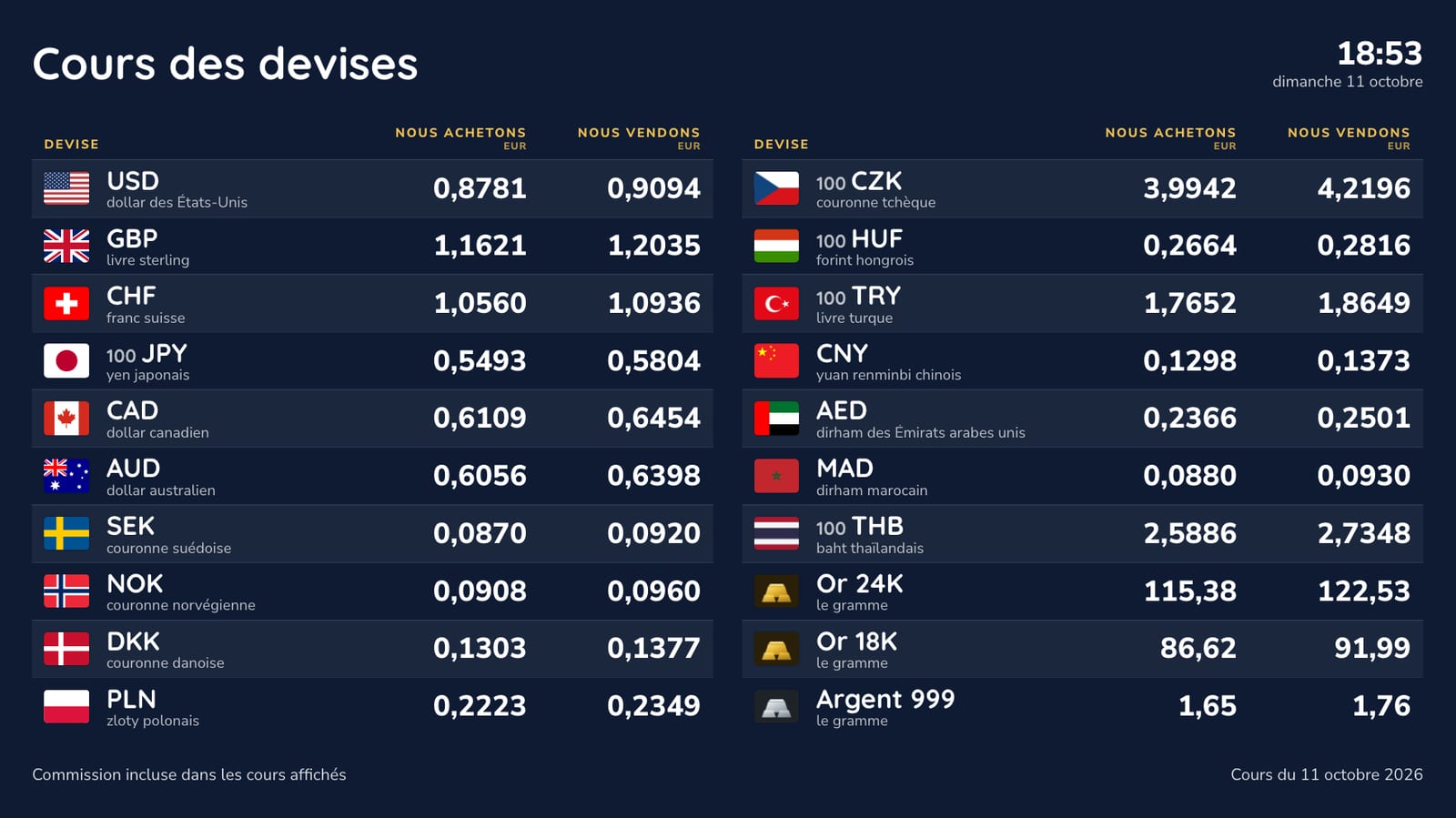
The labels come in English, French, Dutch, German, Spanish, Italian, Portuguese, Polish, Turkish, Russian, Ukrainian, Chinese, Japanese and Arabic, and the currency names follow. Pick a second language and the two take turns every six seconds, so a board near a tourist sight can speak to both.
How the rates are worked out
Each currency is either automatic or locked.
Automatic. The board starts from the reference rate and applies your buy margin and your sell margin, in percent, separately for each currency. The reference rates are the official ones the European Central Bank and other central banks publish once every working day, about 160 currencies in all. easyCMS checks for new ones every hour, so a new day’s rates reach the screens in the morning without anyone touching them. Buy rates round down and sell rates round up, to the number of decimals you choose. To try the sums for your own margins, use the free exchange rate margin calculator.
Locked. You type the buy and sell rate and it stays exactly as typed until you change it. Switching a currency from automatic to locked starts from today’s automatic rate, so you only adjust it. One button locks every rate at today’s values, which suits an office that sets its rates once in the morning; another puts them all back on automatic.
You change rates on the Rates page in Studio, which works on a phone. Save, and the screens show the new rates within a few minutes. A screen keeps showing the last rates it received if the internet drops, so a broken router does not leave the window blank.
Your rates on your own website
Switch on “On your website” and Studio gives you a link and a short piece of code. The link opens a clean page with your current rates, in your language; the code puts the same table inside your own site. It updates by itself from the same rates table as your screens, so the window and the website never disagree.
The rules your board has to follow
Exchange offices are regulated almost everywhere, and the board is often part of it. The common thread: buy and sell rates for each currency, shown with equal prominence, the commission and how it is worked out, visible as customers come in, and no “0% commission” claim when the margin is built into the rate. Spain asks for a permanent notice board with set information, France for the rates and fees at the entrance and sometimes outside, and the UK for the matching sell rate next to every buy rate.
Our guide to exchange rate display rules by country has the details and the sources, with full guides for Spain, France and the UK. Studio puts the buy column first, leaves room for your commission line on every board, and warns you if you type “0% commission”.
In the United States
US stores price in dollars, often in English and Spanish, under FinCEN and state rules rather than a rate-board law. See exchange rate board software for US currency exchange stores.
Not an exchange office?
The same boards serve businesses that change money or buy gold on the side: exchange rates at hotel reception, gold price screens for jewellers and gold buyers and exchange rate screens for travel agencies.
What it costs
One office, two screens
A portrait screen in the window and a landscape screen at the counter.
| Line | Cost |
|---|---|
| easyCMS account, up to 5 displays, includes 1 licence | 49 EUR one-time |
| 1 × extra licence at 66 EUR, bought in the same order | 66 EUR one-time |
| Software total, paid once | 115 EUR |
Licences bought in the same order as the account are 66€ each rather than 99€; added later they are 99€ each. The currency board, the Rates page, gold and silver, the website table and the automatic rates are included: there is no add-on to buy.
The screens need something to play on. An easyCMS Android player is 499€ and includes a display licence; Windows player software is free; LG webOS and Samsung Tizen screens run the player inside the panel. See the pricing page for every option.
Compared with a monthly currency app
Signage apps with a currency board are usually sold per screen per month. On the vendors’ own pricing pages in October 2026, Pickcel’s currency board was 13.50 to 15 USD per screen per month, with buy and sell rates typed in by hand, and ScreenCloud’s plans 20 to 30 USD per screen per month, with a currency app that shows the mid-market rate. ForexBoard, a specialist TV app that applies margins, ran from 19.99 to 99.99 USD a month.
| easyCMS | 14 USD per screen per month | |
|---|---|---|
| Year 1 | 115 EUR | 336 USD |
| Five years | 115 EUR | 1,680 USD |
For the two-screen office above.
Three branches
Nine screens across three branches, run from one account so the rates are set once for all of them: a PRO account at 299€ (up to 25 displays, includes 1 licence) plus eight licences at 66€ in the same order is 827€, once.
What easyCMS will not do
- Live rates during the day. The automatic rates are the official daily reference rates. If you reprice against the market every few minutes, lock your rates and change them yourself for now; a live feed is planned as a paid option.
- Connect to your till or back-office software. Rates are set in Studio. There is no import from Biz4x, CurrencyXchanger or similar systems yet.
- Drive an LED number board. The ticker runs on an LED strip through a player, but the numeric LED boards with fixed digits need their own controller.
- Give legal advice. The guide to display rules is a starting point. Check the rules that apply to your licence with your regulator.
Questions exchange offices ask
Can I set my own rates instead of the automatic ones?
Yes. Lock any currency and type its buy and sell rate; it never changes until you change it. You can lock every currency at once, at today’s values, and unlock them all again later.
What happens if the internet goes down?
The screens keep showing the last rates they received. They pick up new ones when the connection comes back.
Where do the automatic rates come from?
From the European Central Bank’s daily reference rates, taken directly from the ECB, and for the currencies, gold and silver the ECB does not publish, from other central banks through the open-source Frankfurter service. Both are published once every working day. Your margins are applied on top.
Can I show gold and silver?
Yes: 24, 22, 18 and 14 carat gold and silver 999, per gram, with their own margins, on any board.
Can I show only some currencies on one screen?
Yes. Every board can show all your currencies or a selection, so the window can carry eight and the counter forty.
Is there a monthly fee?
No, unless you choose Enterprise at 1,290€ a year. The account, the PRO account and every extra licence are one-time and lifetime.