Exchange Rate Screens for Travel Agencies That Sell Holiday Money
A travel agency that sells holiday money has two customers for its rates: the one booking the trip, who wants to know what their budget is worth, and the one passing the window. A rates screen serves both, and updates itself every morning.
Holiday money is usually bought where the holiday is booked, or on the way to the airport. A travel agency that offers it has an advantage the bureau at the airport does not: the customer is already sitting at the desk, planning a budget. Showing the rates for the destinations you sell turns “how much is that in dollars?” into a sale.
easyCMS shows exchange rates on any screen in the agency: a board in the window, a few large rates at the desk, a scrolling ticker on a thin screen or LED strip under the destination offers. The rates follow the official daily reference rates with your own margins, or stay exactly as you type them.
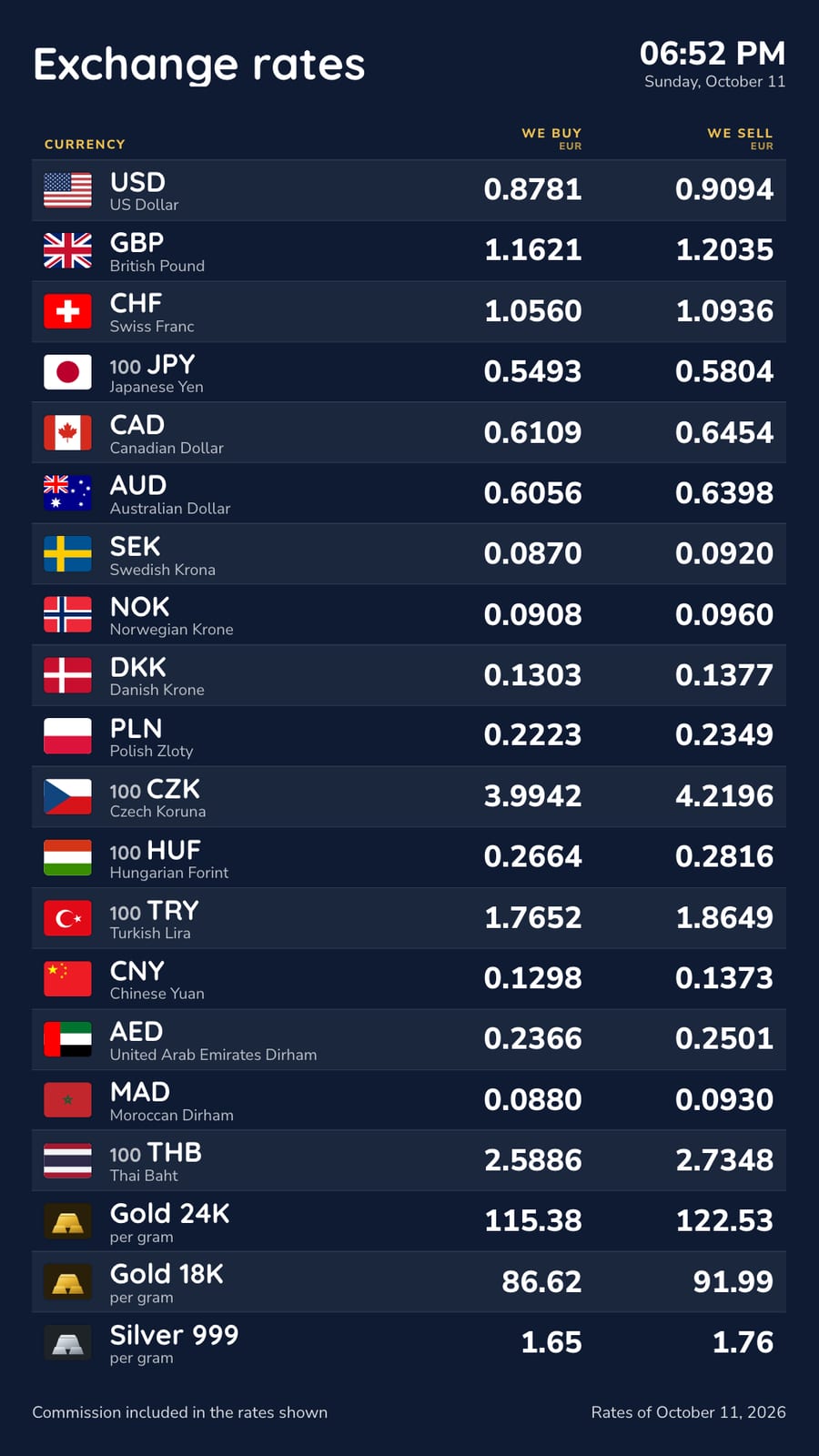
What the screens show
- The currencies of the destinations you sell, with flags, names and the unit (100 JPY). Each screen can show a different selection: eight on the desk screen, twenty in the window.
- We buy and We sell, side by side, from your point of view. Buying back unused currency after the trip is the second half of the business, and the buy column shows what the customer will get.
- A ticker: one scrolling line of rates, sized for a thin screen or an LED strip.
- A spotlight: one currency at a time, filling the screen, for the destination you are promoting this week.
- Your logo, the date and a commission line as large as the rates, with a footer line for your licence number.
The currency rate ticker and the spotlight templates are ready to use, and the rest are on the exchange rate board templates page.
Rates next to your offers
The rates do not have to take over your main screen. A thin second screen or an LED strip under the offers screen can run the ticker, and the screen at the desk can show a few large rates while the window carries your destination offers. A screen can also switch to the rates board at set times, for example the morning rush, and back to your offers for the rest of the day. One account runs every screen in the agency and in every branch.
Rates that look after themselves
Automatic rates start from the reference rates that the European Central Bank and other central banks publish every working day, about 160 currencies, and apply your margins. easyCMS checks for new rates every hour, so the screens are right when you open. Locked rates keep the rates you type, for agencies that take their rates from a wholesale supplier. Staff change rates on the Rates page in Studio, on a phone or a computer.
Several branches can share one rates table or keep one each, and every screen shows the table you pick for it. The same rates can go on your website with one switch, so the customer planning a trip at home sees what you charge.
Selling currency needs a licence
Selling foreign currency to the public is regulated. In France a changeur manuel needs the authorisation of the ACPR; in Spain the Banco de España authorises exchange establishments; in the UK a bureau de change registers with HMRC as a money service business. Many agencies sell currency as an agent of a licensed provider instead, under the provider’s rates and name. Either way, what the board shows has rules of its own: see the exchange rate display rules by country, with full guides for Spain, France and the UK. This is not legal advice.
What it costs
A window screen and a desk screen:
| Line | Cost |
|---|---|
| easyCMS account, up to 5 displays, includes 1 licence | 49 EUR one-time |
| 1 × extra licence at 66 EUR, bought in the same order | 66 EUR one-time |
| Software total, paid once | 115 EUR |
Rates boards, the ticker, automatic rates and the website table are included, with no monthly fee per screen. The screens need players: an easyCMS Android player is 499€ and includes a licence, Windows player software is free, and LG webOS and Samsung Tizen screens run the player inside the panel. The pricing page has every option.
What it will not do
- Live market rates. The automatic rates are daily reference rates. Lock your rates to follow a supplier’s prices during the day.
- Take orders for currency. The screens and the website table show rates; ordering and payment stay in your own systems.
- Import rates from a supplier’s system. Rates are typed or follow the reference rates; there is no feed from a wholesaler yet.
For bureaux and exchange offices, see exchange rate board software. To work out rates from your margins, use the free exchange rate margin calculator.